What is Asset Sync?
What is Asset Sync?
Asset Sync is an add-on that runs inside Google Sheets™. It reads objects from Jira Service Management Assets and writes them into your spreadsheet as a report the spreadsheet remembers, so getting fresh data is one click rather than another export.
It is built by Let's Talk Solutions, the team behind LaunchPad for Jira Service Management and the free Second Chance for JSM.
The problem it solves
Assets holds the data, but a lot of the work on that data happens in spreadsheets: audits, reconciliations, licence reviews, sharing a list with someone who does not work in Jira. Today that usually means exporting a CSV, and a CSV has no memory. Nobody can tell which schema it came from, what filter produced it, or how stale it is, and next month someone rebuilds it by hand.
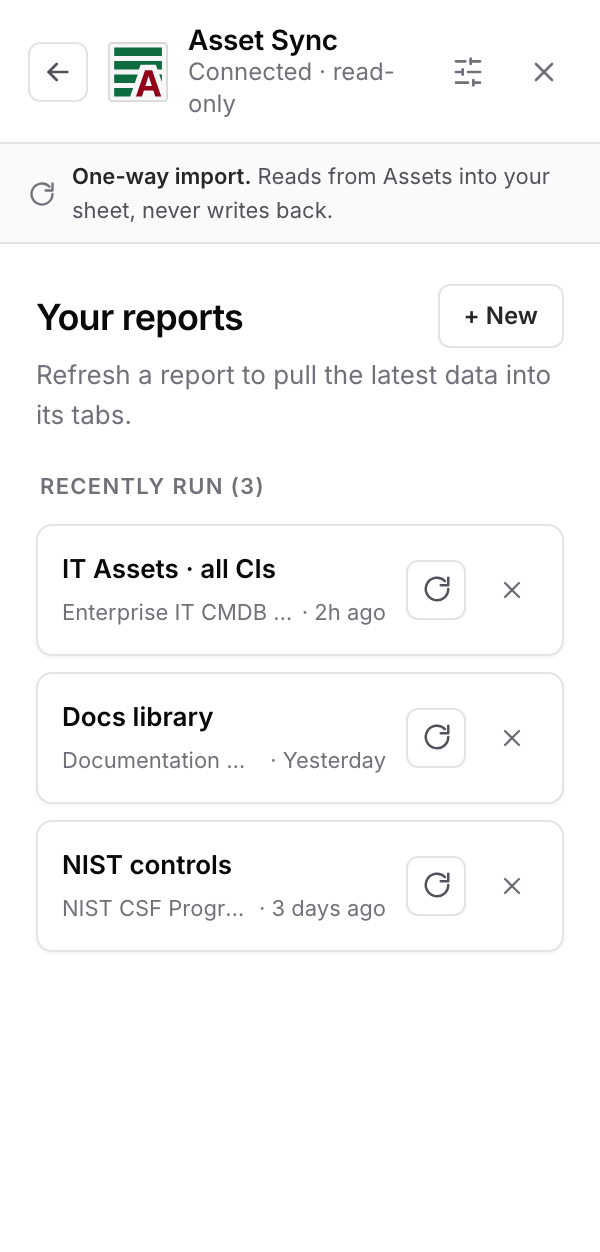
Asset Sync replaces the export with a report. You define it once: which schema, which object types, which filter, which columns. The definition is saved. When the data has moved on, you open the sidebar and refresh, and the same report is rebuilt with current objects.
For the person building the report
A three-step wizard: choose your data, choose your columns, name it and run it. No query language is required. The simple filter covers most cases, and if you do write AQL, there is a mode for that too. The whole thing happens in a docked sidebar, so you never leave the spreadsheet.
For the people reading it
The result is an ordinary Google Sheet. Sort it, filter it, chart it, share it with people who have no Jira licence at all. The object key sits in the first column of every report and links back to the object in Assets, so the sheet is a doorway into Jira, not a dead end.
One-way by design
The add-on reads from Assets and writes to your sheet. It never writes back. Nothing you type into a cell can change, delete, or create an object in Assets, and the sidebar says so on every screen. What this means in practice: you can hand the sheet to anyone without worrying about what they might break.
Where to next
What it does and does not do: the boundaries, stated plainly.
Google Sheets™ is a trademark of Google LLC.