What is LaunchPad for Jira Service Management?
What is LaunchPad for Jira Service Management?
You have got Jira Service Management. You have got Assets. But between you and a working service model sits a wall of decisions: which object types to create, what attributes to track, how everything should connect. Most teams either spend weeks on that design work or, worse, skip it entirely and end up with a flat structure nobody maintains six months later.
LaunchPad for Jira Service Management takes that wall down. It scans your environment and recommends a starting point, deploys a complete service model in minutes, and lets you extend and manage it as your needs change.
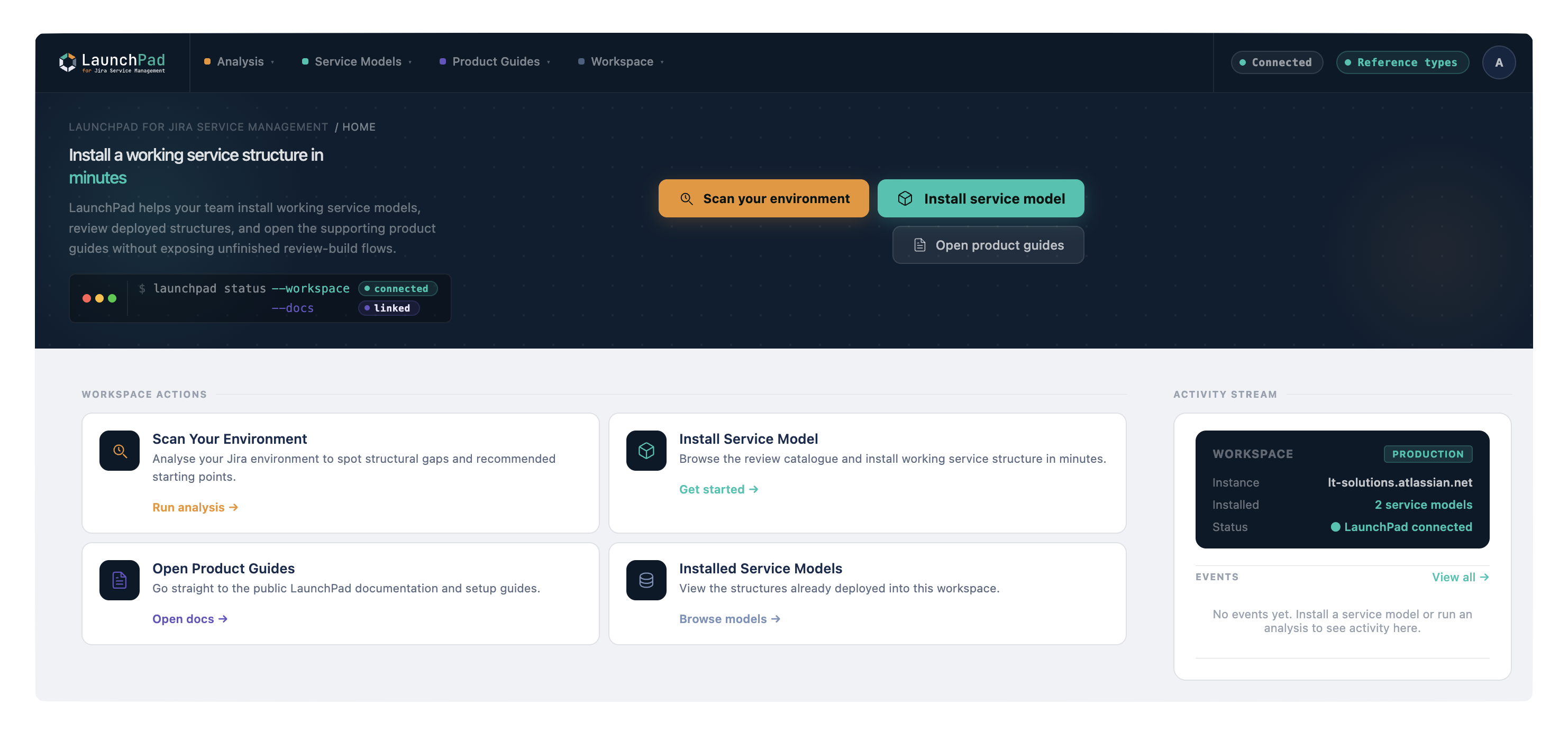
What LaunchPad does
LaunchPad for Jira Service Management is an Atlassian Forge app that analyses, recommends, deploys, extends, and manages service models in Assets. Each service model ships with a complete set of object types, attributes, and relationships, designed by people who have built CMDBs in production environments.
You do not design the structure from a blank page. LaunchPad recommends a service model that fits your environment, deploys it for you, and stays useful afterwards as you extend it and add your data.
How it works: the short version
| Step | What you do |
|---|---|
| Install | Get LaunchPad from the Atlassian Marketplace |
| Scan | Run Scan your environment so LaunchPad can recommend a service model that fits |
| Choose | Open the gallery and pick a service model, or take the recommendation |
| Review | Check the pre-deployment preview, which shows exactly what will be created before anything is built |
| Deploy | Confirm. LaunchPad creates the full service model in your Assets instance |
| Populate | Add your first records using the structure that is now in place |
That is the entire flow for a first deployment. No configuration files, no scripting, no database migrations.
What you get
Every service model includes:
-
Object types with sensible names and pre-defined purposes (for example, Server, Application, Person)
-
Attributes appropriate to each object type, with the right data types already configured
-
Reference types that define how objects relate to each other (for example, a Server "hosts" an Application)
-
A Quick Start Guide with deployment steps, recommended first records, and AQL query examples
-
A Governance Playbook covering ownership, review cadences, and data quality patterns
-
A Forms Specification describing recommended portal forms you can configure for the service model
Who it's for
LaunchPad for Jira Service Management is built for the people who actually have to make Assets work: IT administrators setting up a CMDB for the first time, ITSM consultants deploying standardised structures for clients, service desk managers who need asset tracking but do not have weeks to spend on service model design, and operations teams finally moving off spreadsheets.
If you have been putting off your CMDB because the design work felt overwhelming, this is the on-ramp you were waiting for.
The available service models
Thirteen production-ready service models ship today, covering starting points from the simplest service model to enterprise-wide coverage. Every deployment uses the same batched, additive Forge flow, and you can extend any of them after install.
| Service model | What it covers |
|---|---|
| Core | The organisational backbone: people, teams, departments, locations, vendors, applications, cost centres. Other service models can link back to it as spokes |
| Basic CMDB | Person, Server, Application, Location. The simplest starting point |
| Standard CMDB | Comprehensive infrastructure coverage including network, cloud, databases, and licences |
| Cybersecurity | Security assets, controls, and the relationships an IT security team needs to track |
| Cloud-Native | Cloud workloads, services, and infrastructure for cloud-first estates |
| Service Catalogue | IT service offerings, service levels, support teams, request types, and knowledge articles |
| Vendor Management | Vendors, contracts, and the supplier relationships behind your services |
| Software Asset Management | Software, licences, and entitlement tracking |
| Workforce Management | People, roles, and the organisational data behind service ownership |
| Enterprise IT CMDB | Broad enterprise coverage for organisations standardising across many teams |
| SLA Management | Service level targets and the objects that measure them |
| Priority Matrix | Impact and urgency mapping for incident prioritisation |
| Documentation Management | Knowledge articles, runbooks, and supporting documentation objects |
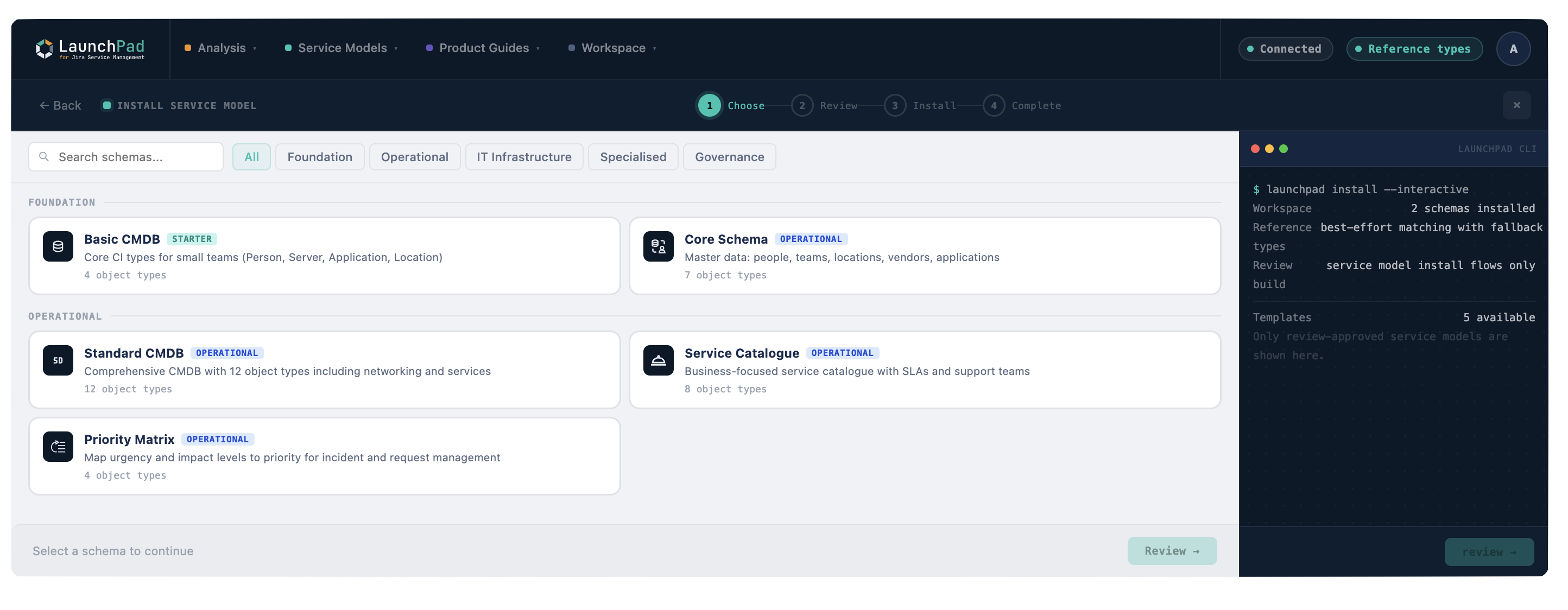
Core acts as a hub, and other service models can declare themselves as spokes that reference it. At deploy time you choose, per reference, whether each spoke links to an existing Core schema, creates the referenced type locally, or keeps it as plain text.
What LaunchPad does not do
LaunchPad creates the structure. It does not populate it with your data automatically. That part is still yours, though the documentation covers the fastest ways to do it.
For a clear picture of what is in and out of scope, read What LaunchPad Does and Does Not Do.